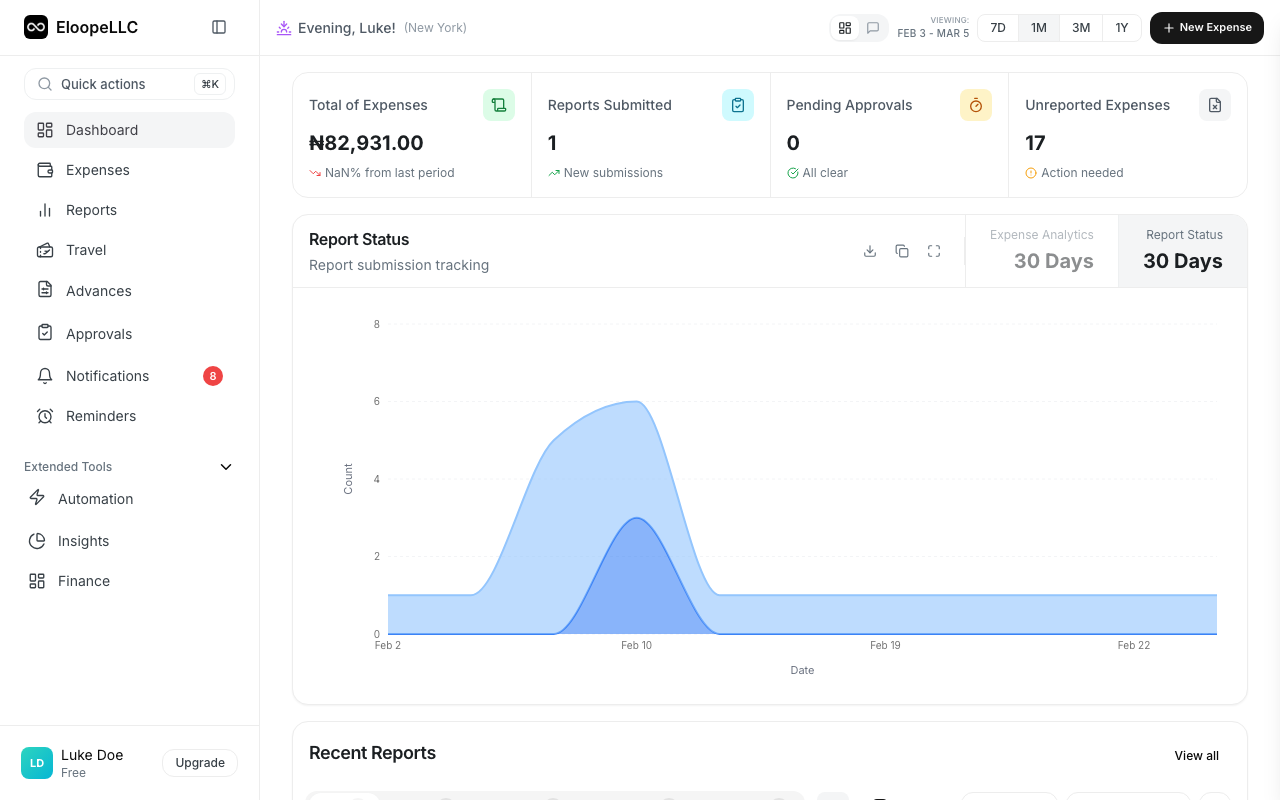
What is Eloope?
What is Eloope?
Eloope is a cloud-based expense tracking and reimbursement platform designed to streamline your organization's expense management processes.
Overview
Eloope helps you manage the entire expense lifecycle—from the moment an employee incurs an expense to the final reimbursement payment. The platform replaces manual processes like Excel spreadsheets, paper receipts, and lengthy email chains with automated workflows that save time, reduce errors, and provide complete visibility into company spending.
With Eloope, employees can quickly submit expenses using their mobile devices, managers can approve reports in seconds, and finance teams can process reimbursements efficiently. The platform automatically enforces company policies, flags potential violations, and maintains detailed audit trails for compliance purposes.

Who uses Eloope?
Eloope is designed to serve five distinct types of users within your organization, each with specific roles and capabilities tailored to their responsibilities.
Employees use Eloope to submit expenses and track their reimbursement status in real-time. They can upload receipts directly from their mobile devices, request cash advances for upcoming business trips, and split shared expenses with team members. The platform makes it easy for employees to stay on top of their expenses and know exactly when they'll receive reimbursement.
Managers rely on Eloope to review and approve expense reports submitted by their team members. They can view detailed analytics about team spending patterns, identify trends, and make informed decisions about budget allocation. Managers can also delegate their approval authority to other team members when they're unavailable, ensuring that expense processing doesn't get delayed.
Finance teams use Eloope to process reimbursements and payments efficiently. They can manage cash advances from request to settlement, ensuring that all advances are properly reconciled with actual expenses. The platform provides powerful reporting tools that allow finance teams to generate financial reports and export data in multiple formats for accounting and analysis purposes.
Auditors have read-only access to financial data within Eloope, allowing them to review audit logs and compliance reports without the ability to modify any records. They can export data for external audits and verify that all expenses comply with company policies and regulatory requirements.
Administrators configure the Eloope system to match your organization's specific needs. They manage users, departments, and roles, set up multi-level approval workflows, and configure automation rules. Administrators ensure that the system settings and policies align with company standards and compliance requirements.
Key features
Expense Management. Eloope makes it easy to capture and track expenses with quick entry options and OCR receipt scanning technology. Simply take a photo of your receipt, and the system automatically extracts key information like merchant name, date, amount, and category. The platform supports multi-currency expenses with automatic conversion using real-time exchange rates, and includes mileage tracking for distance-based expenses. All expenses are automatically checked against company policies, with potential violations flagged immediately for review.

Approval Workflows. Set up sophisticated multi-level approval workflows that automatically route expenses based on amount thresholds, expense categories, or department rules. You can create custom approval chains for different scenarios, delegate approval authority when needed, and configure auto-escalation to ensure reports don't get stuck waiting for approval. The system sends automatic notifications to keep everyone informed about pending actions.
Cash Advances. Manage the complete cash advance lifecycle from request to settlement. Employees can request pre-trip funding for business travel, and the system automatically tracks and reconciles these advances against actual expenses incurred. When the trip is complete, Eloope calculates whether the employee needs to return excess funds or should receive additional reimbursement for amounts spent beyond the advance.

Analytics and Reporting. Access real-time dashboards that provide instant visibility into spending patterns across your organization. Create custom reports filtered by date range, department, expense category, or individual employee. Export reports in multiple formats including PDF for presentations, CSV for data analysis, or PNG for sharing visual summaries. Track key metrics like average expense per employee, policy violation rates, and approval turnaround times.
Automation. Build smart workflows using Eloope's visual workflow builder to automate repetitive tasks and enforce business rules. Set up rules to auto-approve low-value expenses below a certain threshold, automatically assign expenses to specific approvers based on criteria, and trigger notifications when specific conditions are met. Automation reduces manual work and ensures consistent application of company policies.
How it works
The typical expense workflow in Eloope follows a straightforward process from start to finish. First, an employee incurs a business expense and captures the receipt using the mobile app or web interface. The system uses OCR technology to extract receipt details automatically, saving time on manual data entry.
Next, the employee adds the expense to a report and submits it for approval when ready. The system automatically routes the report to the appropriate approver based on your configured workflow rules. Managers receive immediate notification and can review the report details, including all attached receipts and supporting documentation.

The manager either approves or rejects the report, optionally adding comments if clarification is needed. Once approved, the report moves to the finance team for processing. Finance verifies all details, processes the reimbursement through your payment system, and marks the report as paid. Finally, the employee receives a notification that their reimbursement has been processed and can track the payment status.
Security and compliance
Eloope provides enterprise-grade security to protect your financial data and ensure compliance with regulatory requirements. All data is encrypted both at rest and in transit using industry-standard encryption protocols. The platform implements role-based access control with granular permissions, ensuring that users can only access data and functionality appropriate for their role.
Every action taken in the system is logged in complete audit trails, providing full traceability for compliance and investigation purposes. Eloope is SOC 2 compliant, demonstrating our commitment to maintaining the highest standards of security, availability, and confidentiality.
Getting started
Ready to begin? Choose your role:
Employees → Read: Quick Start for Employees
Managers → Read: Quick Start for Managers
Finance Team → Read: Finance Team Guide
Administrators → Read: Admin Quick Start
Related articles
- Quick Start for Employees
- Understanding User Roles
- Understanding the Dashboard
- System Requirements
Up next
Learn Trip managementin Eloope.