Learn how to request a cash advance in Eloope before a trip or purchase, and understand the statuses an advance moves through.
What is a cash advance?
A cash advance is money your company provides upfront (before a trip, event, or purchase) so you don't have to pay out of pocket. After spending, you reconcile the advance by linking your actual expenses to it.
Cash advances are useful when you need funds for travel, conferences, client entertainment, or any situation where personal payment is impractical.
Request a new advance
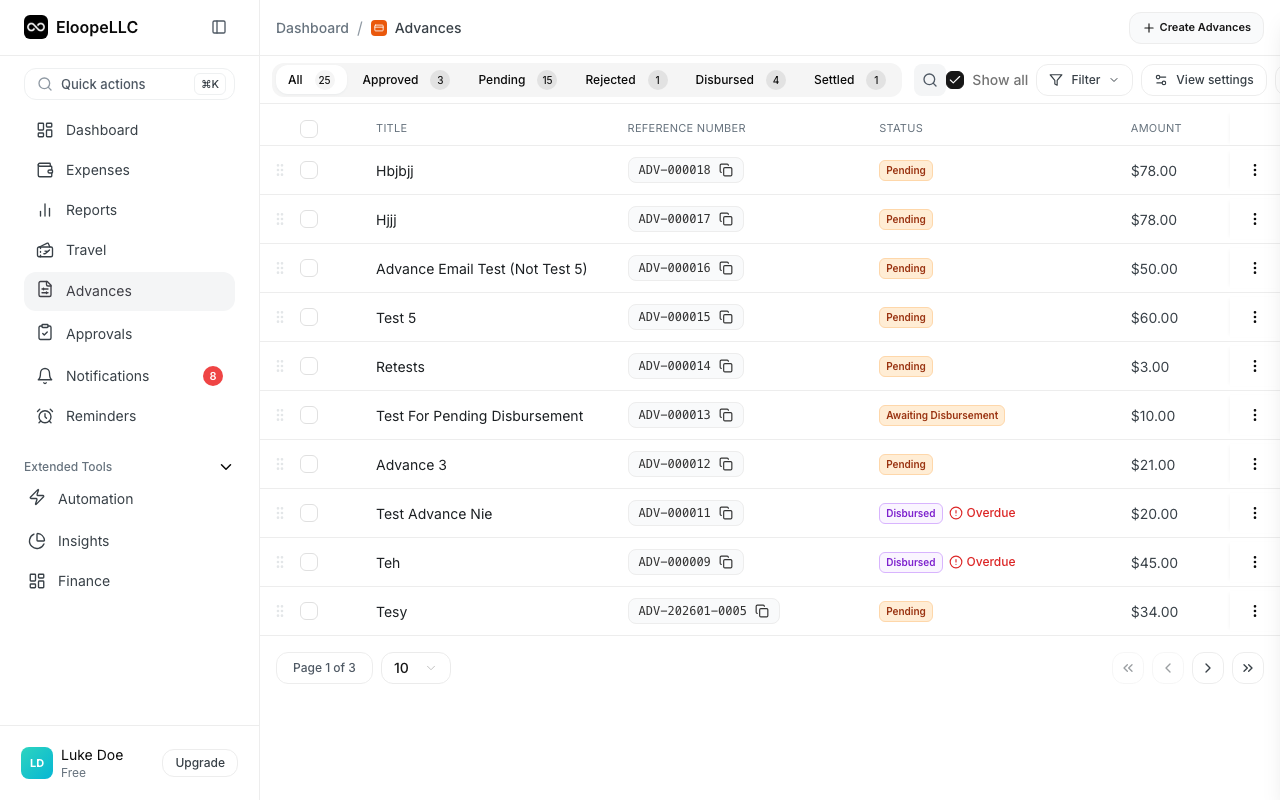
- Navigate to Advances in the left sidebar.
- Click the Record Advance button in the top-right corner.
- Fill in the required fields (see below).
- Click Create to submit the advance request.
Advance fields
Every advance request requires the following information:
- Title: A descriptive name for the advance (e.g., "Chicago Sales Trip Funds").
- Amount: The total funds you need, with a currency selector.
- Paid Through: The disbursement method (Bank Transfer, Check, Cash, Credit Card, etc.).
- Needed By Date: The date by which you need the funds.
You can also provide optional details:
- Purpose: A clear description of why you need the advance.
- Notes: Any additional information for the approver or finance team.
- Priority/Urgency: Set the urgency level (Urgent, High, Normal, or Low). This helps prioritize processing.
Advance statuses
Every advance moves through a series of statuses as it progresses from request to settlement:
| Status | Meaning |
|---|---|
| Requested | You submitted the advance. It has not been reviewed yet. |
| Pending Approval | The advance is in your manager's approval queue. |
| Approved | Your manager approved the advance. It is waiting for finance to disburse funds. |
| Rejected | Your manager declined the advance. You can view the rejection reason and submit a new request if needed. |
| Disbursed | Finance has released the funds to you. |
| Active | You have received the funds and can begin spending. |
| Partially Reconciled | Some expenses have been linked to the advance, but the full amount is not yet accounted for. |
| Fully Reconciled | All advance funds are accounted for by linked expenses. |
| Pending Settlement | Reconciliation is complete and the advance is awaiting final settlement. |
| Settled | The advance is fully closed. No further action is needed. |